
What Makes a Console Different From a PC?
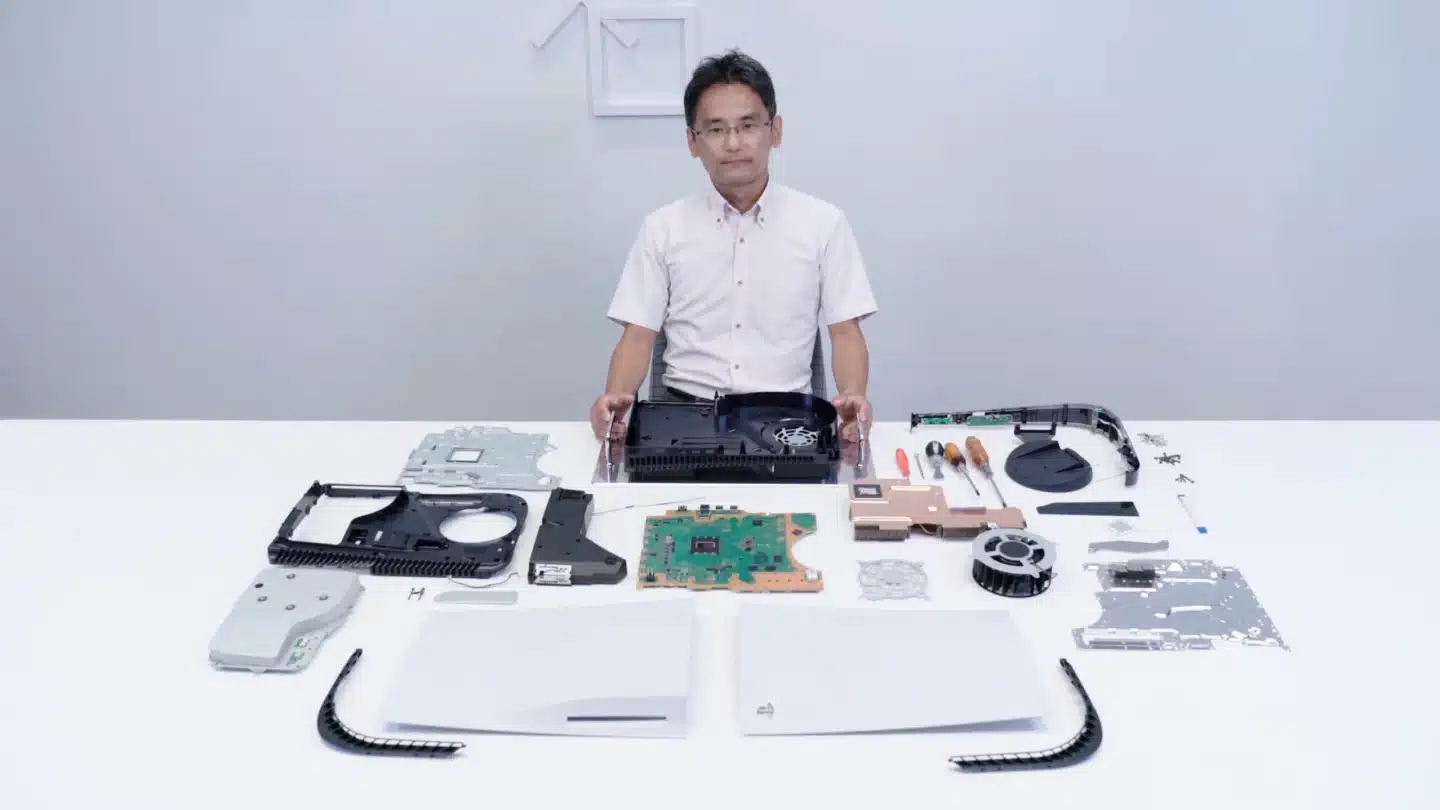
Modern gaming consoles like the PlayStation, Xbox, and Nintendo systems may look simple on the outside, but internally they are highly specialised computers. Just like a PC, a console has a processor, graphics unit, memory, storage, cooling, and power delivery — but all of these components are custom-designed to work together as one fixed system.
This tight integration is what allows consoles to deliver consistent performance, predictable optimisation, and ease of use. In this article, we’ll break down every major component inside a console, explain what it does, and show how consoles achieve strong gaming performance with relatively modest hardware.
🧠 1. System-on-a-Chip (SoC): The Heart of a Console
At the core of every modern console is a System-on-a-Chip (SoC).
What is an SoC?
An SoC combines multiple components into a single chip, including:
-
CPU (Central Processing Unit)
-
GPU (Graphics Processing Unit)
-
Memory controllers
-
I/O controllers
-
Security modules
Instead of separate chips like in a PC, consoles use custom AMD-designed SoCs (for PlayStation and Xbox) to reduce size, cost, power consumption, and latency.
Why consoles use an SoC:
-
Lower manufacturing costs
-
Reduced heat and power usage
-
Faster communication between components
-
Easier optimisation for developers
The SoC is the most important component in a console.
🎮 2. CPU (Central Processing Unit)
The CPU handles game logic, physics, AI, and system processes.
What the console CPU does:
-
Processes game code and logic
-
Controls AI behaviour and NPCs
-
Handles physics simulations
-
Manages background system tasks
Console CPU characteristics:
-
Typically fewer cores than high-end PCs
-
Lower clock speeds than desktop CPUs
-
Designed for efficiency and consistency
Why consoles still perform well:
Because every console has identical hardware, developers can optimise games extremely well. This allows consoles to achieve smooth gameplay even with lower raw CPU power than modern gaming PCs.
🎨 3. GPU (Graphics Processing Unit)
The GPU renders graphics, lighting, shadows, and visual effects.
What the console GPU does:
-
Draws 3D models and textures
-
Handles lighting and shadows
-
Performs ray tracing calculations
-
Outputs frames to the display
Console GPU design:
-
Integrated into the SoC
-
Custom architecture based on PC GPUs
-
Designed for fixed performance targets
Why console GPUs punch above their weight:
-
Games are optimised for one GPU design
-
No driver fragmentation
-
Developers know exact performance limits
This allows consoles to deliver impressive visuals with consistent frame rates.
🧠 4. Memory (RAM)
Memory in consoles is unified, meaning the CPU and GPU share the same memory pool.
What console RAM does:
-
Stores game assets (textures, models)
-
Holds active game data
-
Allows fast communication between CPU and GPU
Unified memory advantages:
-
Lower latency
-
Simplified data sharing
-
Reduced complexity for developers
Console RAM characteristics:
-
High bandwidth
-
Optimised for gaming workloads
-
Fixed capacity (no upgrades)
Unified memory is one of the biggest differences between consoles and PCs.
💾 5. Storage (Internal SSD)
Modern consoles use solid-state storage to dramatically improve load times.
What console storage does:
-
Stores the operating system
-
Stores games and updates
-
Loads assets during gameplay
Why SSDs matter in consoles:
-
Faster game loading
-
Near-instant fast travel
-
Enables larger, more detailed game worlds
Console storage design:
-
Custom SSD controllers
-
Optimised compression and decompression
-
Direct asset streaming into memory
This allows developers to design games around fast storage, not slow hard drives.
🔄 6. I/O Controller (Input/Output)
The I/O controller manages how data moves between storage, memory, and other components.
What it does:
-
Controls SSD access
-
Handles USB ports and peripherals
-
Manages network traffic
-
Enables fast asset streaming
Why it’s important:
A powerful I/O system reduces bottlenecks and ensures data flows smoothly, especially in open-world games that stream assets constantly.
❄️ 7. Cooling System
Consoles generate heat just like PCs, so cooling is essential.
Types of console cooling:
-
Large heatsinks
-
High-quality fans
-
Heat pipes or vapor chambers
-
Carefully designed airflow paths
What cooling does:
-
Prevents overheating
-
Maintains consistent performance
-
Reduces fan noise
-
Extends hardware lifespan
Unlike PCs, console cooling systems are custom-designed for one exact hardware configuration, making them very efficient.
🔌 8. Power Supply Unit (PSU)
The PSU provides stable power to the console.
What the console PSU does:
-
Converts wall power to usable voltage
-
Protects against power surges
-
Supplies consistent energy to components
Console PSU design:
-
Built specifically for the console’s power needs
-
Optimised for efficiency
-
Designed to fit compact cases
Console PSUs are not modular or upgradeable but are highly reliable.
🎧 9. Audio Processing Hardware
Modern consoles include dedicated audio processing features.
What audio hardware does:
-
Handles surround sound
-
Processes 3D audio
-
Enhances positional sound in games
Why it matters:
Advanced audio processing improves immersion by allowing players to accurately hear enemy positions, environmental effects, and directional cues.
🌐 10. Networking Components
Networking hardware enables online play and downloads.
What it includes:
-
Ethernet controller
-
Wi-Fi module
-
Bluetooth controller
Why it’s important:
-
Online multiplayer
-
Game downloads and updates
-
Cloud saves and streaming services
Console networking is designed for stable, low-latency connections.
🔒 11. Security & Encryption Chips
Consoles include hardware-level security components.
What they do:
-
Protect against piracy
-
Secure user accounts and data
-
Prevent unauthorised software execution
Why consoles use strong security:
-
Protect game developers’ intellectual property
-
Maintain platform integrity
-
Prevent cheating and hacking
This is one reason consoles are locked-down systems compared to PCs.
🧠 12. Operating System & Firmware
While not physical hardware, firmware works closely with console components.
What console firmware does:
-
Manages system resources
-
Controls background tasks
-
Handles updates and system features
-
Ensures games run within safe performance limits
The OS is lightweight and optimised specifically for gaming.
⚙️ How All Console Components Work Together
Console components are engineered as a single ecosystem:
-
The SoC integrates CPU and GPU
-
Unified memory allows fast data sharing
-
SSD and I/O systems stream assets instantly
-
Cooling and power are matched precisely
-
Developers optimise games for one hardware target
This tight integration is what allows consoles to deliver stable performance without user configuration.
🆚 Console Components vs PC Components
| Feature | Console | PC |
|---|---|---|
| Hardware | Fixed | Modular |
| Upgrades | None (usually) | Fully upgradeable |
| Optimisation | Extremely high | Varies |
| Performance tuning | Automatic | User-managed |
| Cost efficiency | Very high | Depends on build |
Consoles trade flexibility for simplicity and optimisation.