

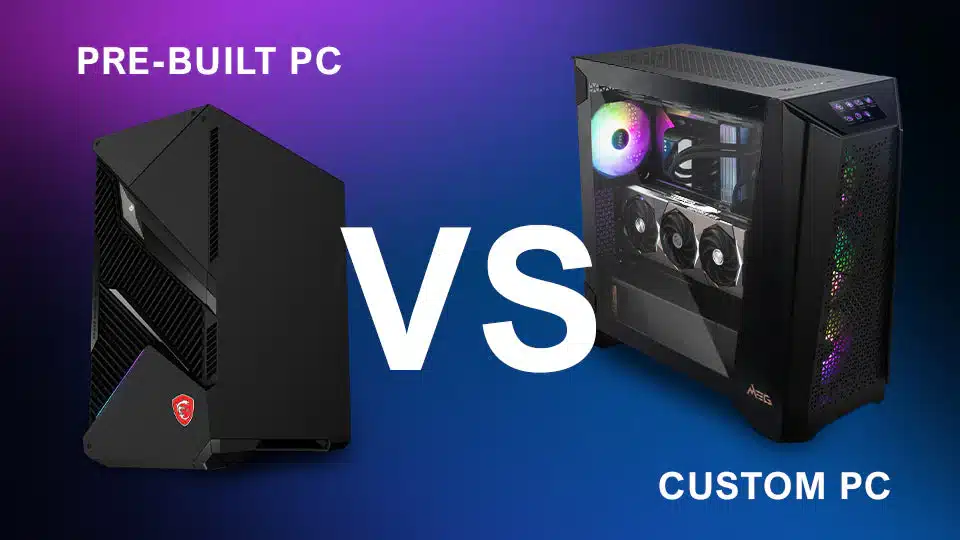
The PC Buying Dilemma
When it comes time to buy a new PC—whether for gaming, work, streaming, or general use—most people face the same question: Should I buy a prebuilt PC or build a custom one?
Prebuilt PCs promise convenience. They arrive ready to use, with an operating system installed and a warranty included. Custom-built PCs, on the other hand, require planning, component selection, and assembly—but offer far greater control.
While prebuilts may seem easier, custom builds consistently deliver better performance, better value, better longevity, and fewer compromises. This article breaks down the differences and explains why custom-built PCs are almost always the smarter investment.
🔧 What Is a Prebuilt PC?
A prebuilt PC is a system assembled by a manufacturer or retailer and sold as a finished product. These systems are often marketed as:
-
Gaming PCs
-
Office PCs
-
Creator workstations
They are designed to appeal to a broad audience and are built to meet a specific price point.
🛠️ What Is a Custom PC Build?
A custom PC is designed and assembled with hand-picked components, chosen specifically for your needs and budget.
Custom builds allow:
-
Precise component selection
-
Balanced performance
-
Upgrade-friendly design
-
Better quality control
Instead of accepting compromises, custom builders decide exactly what goes into the system.
⚖️ The Biggest Difference: Component Quality
Prebuilt PCs Cut Corners
To keep prices competitive, prebuilt manufacturers often cut costs in areas buyers don’t notice immediately:
-
Low-quality power supplies
-
Basic motherboards
-
Minimal cooling
-
Single-channel RAM
-
Cheap storage drives
These compromises don’t always show up on the spec sheet—but they absolutely affect performance, reliability, and lifespan.
Custom Builds Use Better Parts
Custom builders choose:
-
Reliable power supplies
-
Proper cooling solutions
-
Quality motherboards
-
Faster RAM configurations
-
Trusted storage brands
This results in a system that performs better under load and lasts longer.
🚀 Performance: Balanced vs Bottlenecked
Prebuilts Often Have Bottlenecks
A common prebuilt issue is unbalanced hardware. For example:
-
A strong GPU paired with a weak CPU
-
Fast CPU with slow RAM
-
High-end parts limited by poor cooling
Manufacturers focus on flashy components (like the GPU) for marketing, while quietly downgrading others.
Custom Builds Are Balanced by Design
Custom builds are optimized for:
-
Your specific workload
-
Gaming resolution and refresh rate
-
Productivity or streaming needs
This means:
-
Fewer bottlenecks
-
More consistent performance
-
Better real-world results
💰 Value for Money
Prebuilt PCs Cost More Than They Appear
Prebuilt pricing includes:
-
Assembly costs
-
Brand markup
-
Marketing expenses
-
Lower-quality bulk components
You often pay more for less.
Custom Builds Deliver Better Value
With custom builds:
-
Every pound or dollar goes into hardware
-
No unnecessary extras
-
No hidden compromises
You get more performance per dollar, especially in mid-range and high-end systems.
❄️ Cooling and Noise Levels
Prebuilt Cooling Is Often Minimal
Many prebuilts use:
-
Small stock coolers
-
Limited airflow cases
-
Cheap fans
This leads to:
-
Higher temperatures
-
Thermal throttling
-
Loud operation
-
Shortened component lifespan
Custom Builds Prioritize Cooling
Custom systems are built with:
-
Proper airflow design
-
Quality CPU coolers
-
Balanced fan placement
This results in:
-
Lower temperatures
-
Quieter operation
-
Stable long-term performance
🔄 Upgradeability and Longevity
Prebuilts Are Often Hard to Upgrade
Many prebuilt PCs:
-
Use proprietary cases or power supplies
-
Have limited motherboard expansion
-
Lack space for future GPUs
-
Use low-wattage PSUs
Upgrading later can be difficult or impossible.
Custom Builds Are Built to Grow
Custom PCs are:
-
Standardized
-
Modular
-
Easy to upgrade
This means:
-
Longer lifespan
-
Cheaper future upgrades
-
No need to replace the entire system
🧠 Transparency and Control
With a prebuilt, you often don’t know:
-
Exact component models
-
Cooling performance
-
BIOS configuration
-
RAM speed and channel setup
With a custom build, everything is known and intentional.
You control:
-
Component brands
-
Performance priorities
-
Noise levels
-
Aesthetic choices
🧪 Reliability and Testing
Prebuilt Quality Control Is Inconsistent
Mass-produced systems may:
-
Be rushed through assembly
-
Use generic thermal paste
-
Skip proper stress testing
Failures after purchase are not uncommon.
Custom Builds Are Properly Tested
A well-built custom PC is:
-
Stress-tested
-
Thermally checked
-
Cable-managed
-
Tuned for stability
This results in fewer issues and better reliability.
🖥️ Software and Bloatware
Prebuilt PCs often ship with:
-
Trial software
-
Advertising apps
-
System utilities you don’t need
This bloatware:
-
Slows performance
-
Consumes resources
-
Creates clutter
Custom builds typically use clean OS installations with no unnecessary software.
🧩 Who Should Buy a Prebuilt?
Prebuilts may make sense if:
-
You need a PC immediately
-
You’re uncomfortable with custom builds
-
You want a single manufacturer warranty
-
You’re buying for basic use only
Even then, buyers should be cautious.
🎯 Why Custom Builds Are Better Overall
Custom PCs offer:
✔ Better performance
✔ Higher-quality components
✔ Better cooling
✔ Greater upgradeability
✔ Longer lifespan
✔ More value for money
✔ Full transparency
They are designed for your needs, not mass appeal.